Developer Experience (DevEx) is essential for boosting productivity, collaboration, and overall efficiency in software development. The right DevEx tools streamline workflows, provide actionable insights, and enhance code quality. New tools and new features are continually introduced to address evolving developer needs and improve the developer experience.
Understanding the developer journey is crucial—DevEx tools support developers at every stage, helping to identify and reduce friction points for a smoother experience. Integrating with existing workflows is important to ensure seamless adoption and minimal disruption.
We’ve explored the 10 best Developer Experience tools in 2025, highlighting their key features and limitations to help you choose the best fit for your team. Following best practices is vital to optimize developer experience and productivity. Satisfied developers are more productive and contribute to higher quality software.
These DevEx tools are also essential for streamlining api development, in addition to other software development processes.
Developer Experience (DevEx) constitutes the foundational infrastructure that orchestrates the comprehensive software development ecosystem, fundamentally transforming how development teams architect, implement, and deploy high-quality software solutions. An optimized developer experience framework not only enables developers to concentrate on complex algorithmic challenges and innovative feature development, but also drives exponential productivity gains through intelligent automation, workflow optimization, and friction elimination across the entire development lifecycle infrastructure. DevEx tools are specifically designed to improve the way developers work by reducing friction and streamlining daily tasks, making it easier for teams to focus on delivering value.
When organizations strategically invest in sophisticated DevEx platforms and intelligent toolchains, they empower their development teams to leverage advanced automation capabilities, streamline resource-intensive processes, and optimize existing development workflows through data-driven insights and predictive analytics. This comprehensive approach results in accelerated development cycles, enhanced cross-functional collaboration frameworks, and significantly improved developer satisfaction metrics, enabling teams to allocate substantially more resources toward core coding activities while minimizing operational overhead and routine task management. From seamless environment provisioning and comprehensive API documentation to intelligent integration capabilities with existing development infrastructure, every component of the DevEx ecosystem contributes to a more efficient, scalable, and resilient software development lifecycle. These tools allow developers to design, test, and integrate APIs efficiently, facilitating easier development workflows and collaboration.
Throughout this comprehensive analysis, we’ll examine the critical importance of DevEx optimization, explore the fundamental characteristics that define exceptional developer experience frameworks, and demonstrate how strategically implemented DevEx solutions can enable development teams and organizations to achieve ambitious technical objectives and business outcomes. Whether your focus involves enhancing developer productivity metrics, optimizing your software development processes through intelligent automation, or establishing a more collaborative and efficient environment for your development teams, understanding and systematically optimizing DevEx represents a crucial strategic imperative for modern software organizations.
For engineering leaders, optimizing developer experience (DevEx) comprises a critical architectural decision that directly impacts software development lifecycle (SDLC) efficiency and team performance metrics. A streamlined DevEx enables developers to dive into complex algorithmic challenges and innovative solutions rather than wrestling with inefficient toolchains or fragmented workflows that compromise productivity baselines. By leveraging integrated development environments (IDEs) that offer advanced debugging capabilities, robust version control systems like Git, and automated CI/CD pipeline integration, engineering leaders facilitate development teams in automating repetitive deployment tasks and streamlining code review processes.
These AI-driven development tools not only enhance developer throughput but also foster enhanced code quality standards and sustained team engagement across distributed development environments. Ultimately, when engineering leaders invest in comprehensive DevEx optimization strategies, they empower their development teams to deliver production-ready software with improved velocity, implement data-driven decision-making throughout the entire SDLC, and continuously optimize development workflows through infrastructure as code (IaC) practices for superior project deliverables. Facilitating developers through sophisticated tooling ecosystems and architectural patterns serves as the foundation for building resilient, high-performing development teams and achieving scalable organizational objectives.
The DevEx tool must contain IDE plugins that enhance coding environments with syntax highlighting, code completion, and error detection features. They must also allow integration with external tools directly from the IDE and support multiple programming languages for versatility.
By providing these features, IDE plugins help reduce friction in the development process and enable developers to spend more time writing code.
The tools must promote teamwork through seamless collaboration, such as shared workspaces, real-time editing capabilities, and in-context discussions. These features facilitate better communication among teams and improve project outcomes.
Collaboration features empower developers by increasing their confidence, productivity, and autonomy, while also enabling developers to work more efficiently together and focus on innovation.
The Developer Experience tool could also offer insights into developer performance through qualitative metrics including deployment frequency and planning accuracy. A dx platform provides valuable insights for engineering managers by combining quantitative and qualitative data to optimize developer productivity and workflow. This helps engineering leaders understand the developer experience holistically. Analytics from such platforms help identify areas for process and productivity improvements.
For a smooth workflow, developers need timely feedback for an efficient software process. Hence, ensure that the tools and processes empower teams to exchange feedback such as real-time feedback mechanisms, code quality analysis, or live updates to get the view of changes immediately.
Effective feedback loops can increase developer productivity by enabling faster iteration and improvement.
Evaluate how the tool affects workflow efficiency and developers’ productivity. The right DevEx tools improve productivity and help developers achieve better outcomes. Assess it based on whether it reduces time spent on repetitive tasks or facilitates easier collaboration. Analyzing these factors can help gauge the tool’s potential impact on productivity.
Identifying optimal DevEx tools necessitates a comprehensive evaluation framework that encompasses multiple critical dimensions and strategic considerations. Initially, the solution must facilitate seamless integration capabilities with your organization's existing technological infrastructure and established operational workflows, thereby ensuring that development teams can leverage these tools without disrupting their proven methodological approaches and productivity patterns.
Automation functionalities constitute another fundamental pillar—prioritize solutions that demonstrate the capacity to systematically automate repetitive operational tasks and minimize manual intervention requirements, consequently enabling developers to redirect their cognitive resources toward more innovative and high-impact initiatives. Real-time analytical insights coupled with instantaneous preview capabilities represent invaluable architectural features, as they empower development teams to rapidly identify, diagnose, and remediate issues throughout the development lifecycle, thereby optimizing overall process efficiency and reducing time-to-resolution metrics.
Furthermore, the selected tool should embody a developer-centric design philosophy that prioritizes the comprehensive developer journey experience, providing an enriched and empowering environment that facilitates the production of superior software deliverables. Scalability characteristics, robust security frameworks, and extensive documentation ecosystems also comprise essential evaluation criteria, as these elements ensure the solution can dynamically adapt and grow alongside your organizational expansion, safeguard your intellectual property and sensitive data assets, and accelerate developer onboarding and proficiency acquisition timelines. Through systematic consideration of these multifaceted criteria, organizations can strategically select DevEx tools that genuinely enhance developer productivity and align with overarching software development objectives and business outcomes.
Optimizing developer experience necessitates implementing strategic methodologies that streamline workflows and enhance productivity across development teams. Organizations should prioritize intelligent automation frameworks—deploying sophisticated tools and platforms that systematically eliminate repetitive tasks and minimize manual interventions, enabling developers to allocate resources toward core coding activities and innovative solution architecture.
Comprehensive documentation ecosystems serve as critical infrastructure components, facilitating rapid developer onboarding, efficient troubleshooting protocols, and autonomous issue resolution capabilities. Establishing continuous feedback mechanisms proves essential for organizational optimization; by systematically capturing developer insights regarding software development processes, teams can iteratively refine operational workflows and systematically address performance bottlenecks. Implementing unified development platforms that seamlessly integrate multiple tools and services creates cohesive development environments, substantially reducing context-switching overhead and workflow friction.
Security frameworks must maintain paramount importance, with robust tools and methodologies deployed to safeguard development pipelines and ensure code integrity throughout the software development lifecycle. Through strategic adoption of these optimization practices, organizations can cultivate enhanced developer experiences that drive high-performance software delivery and accelerate business value realization.
Integrating application security throughout the Software Development Life Cycle (SDLC) fundamentally transforms the developer experience (DevEx) and establishes the foundation for building trustworthy, resilient software architectures. Modern DevEx platforms leverage AI-driven security tools that embed comprehensive security analysis throughout every phase of the development workflow, enabling developers to identify, analyze, and remediate vulnerabilities with unprecedented efficiency and accuracy.
Automated testing frameworks and real-time security scanning capabilities serve as essential components of this integrated approach, allowing development teams to detect potential security threats, code vulnerabilities, and compliance violations before they propagate to production environments. Machine learning algorithms provide continuous, real-time insights and intelligent feedback mechanisms that empower developers to make data-driven decisions about code security posture, ensuring that industry best practices and security standards are consistently followed at every stage of the development lifecycle.
By prioritizing application security integration within comprehensive DevEx toolchains, organizations not only establish robust protection for their software assets and sensitive data repositories but also enable development teams to maintain focus on delivering high-quality, scalable software solutions without compromising security requirements or operational efficiency. This proactive, AI-enhanced approach to security integration helps maintain stakeholder trust and regulatory compliance while supporting streamlined, automated development processes that accelerate time-to-market and reduce technical debt.
DevEx tools have become increasingly critical components for optimizing project management workflows within modern software development lifecycles, fundamentally transforming how development teams coordinate, execute, and deliver software projects. By providing a comprehensive integrated platform for project management orchestration, these sophisticated tools enable developers to systematically prioritize development tasks, implement robust progress tracking mechanisms, and facilitate seamless cross-functional collaboration with distributed team members across various stages of the development process.
Real-time analytics and feedback loops generated through these platforms empower project managers to execute data-driven decision-making processes regarding optimal resource allocation strategies, timeline optimization, and budget management protocols, ensuring that software projects maintain adherence to predefined delivery schedules and performance benchmarks.
Intelligent automation of routine administrative tasks and workflow orchestration allows development teams to redirect their focus toward more complex problem-solving activities and creative software architecture design, significantly enhancing overall productivity metrics and reducing operational overhead costs throughout the development lifecycle. Additionally, these AI-enhanced DevEx platforms help project managers systematically identify process bottlenecks, performance optimization opportunities, and workflow inefficiencies, ultimately leading to higher quality software deliverables and superior project outcomes that align with business objectives.
By strategically leveraging DevEx tool ecosystems for comprehensive project management, organizations can enable development teams to operate with enhanced efficiency, achieve strategic development goals, and deliver substantial business value through optimized software delivery processes.
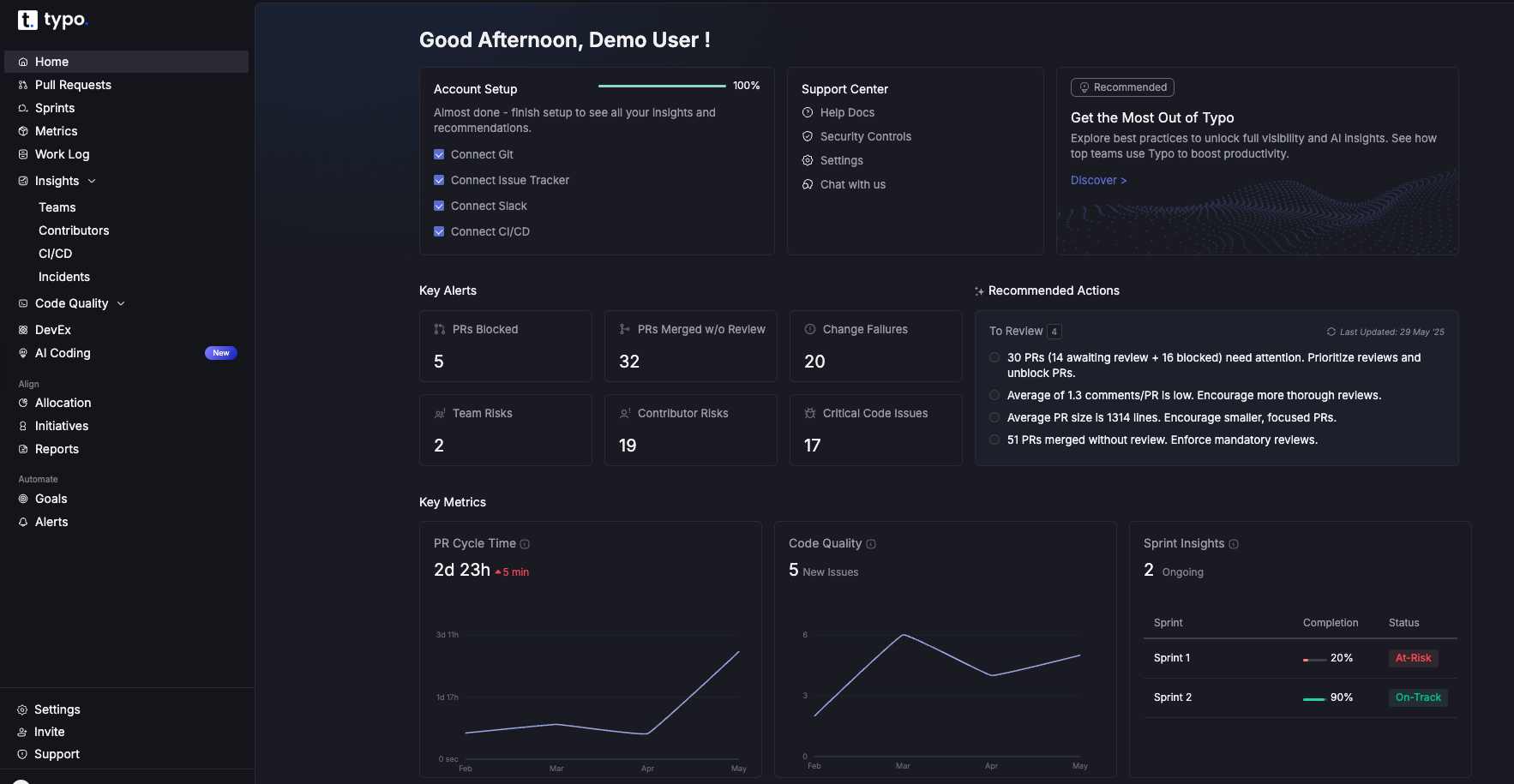
Typo is an advanced engineering management platform that combines engineering intelligence with developer experience optimization to enhance team productivity and well-being. By capturing comprehensive, real-time data on developer workflows, work patterns, and team dynamics, Typo provides engineering leaders with actionable insights to identify blockers, monitor developer health, and improve overall software delivery processes.
Its pulse check-ins and automated alerts help detect early signs of burnout, enabling proactive interventions that foster a positive developer experience. Typo seamlessly integrates with popular tools such as Git, Slack, calendars, and CI/CD pipelines, creating a unified platform that streamlines workflows and reduces manual overhead. By automating routine tasks and providing visibility across the software development lifecycle, Typo empowers developers to focus on high-impact coding and innovation, while engineering managers gain the intelligence needed to optimize team performance and drive efficient, high-quality software development.
DX is a comprehensive insights platform founded by researchers behind the DORA and SPACE framework. It offers both qualitative and quantitative measures to give a holistic view of the organization. GetDX breaks down results based on personas and streamlines developer onboarding with real-time insights.
By providing actionable insights, GetDX enables data-driven decision-making, allowing developers to focus on building and deploying applications rather than managing complex deployment details.
Jellyfish is a developer experience platform that combines developer-reported insights with system metrics. It also includes features for application security, embedding security testing and vulnerability management into the software development lifecycle. It captures qualitative and quantitative data to provide a complete picture of the development ecosystem and identify bottlenecks. Jellyfish can be seamlessly integrated with survey tools or use sentiment analysis to gather direct feedback from developers. Additionally, Jellyfish is compatible with a wide range of tech stack components, ensuring smooth integration with existing tools and technologies.
LinearB provides engineering teams with data-driven insights and automation capabilities. This software delivery intelligence platform provides teams with full visibility and control over developer experience and productivity. LinearB also helps them focus on the most important aspects of coding to speed up project delivery. For those interested in exploring other options, see our guide to LinearB alternative and LinearB alternatives.
By automating routine tasks and integrating with existing tools, LinearB significantly reduces manual work for engineering teams.

Github Copilot was developed by GitHub in collaboration with open AI. It supports open source projects by helping developers identify, manage, and secure open-source packages, which is essential for preventing vulnerabilities and ensuring compliance. It uses an open AI codex for writing code, test cases and code comments quickly. Github Copilot helps developers by providing AI-powered code suggestions, accelerating programming tasks, and aiding in writing higher-quality code more efficiently. It draws context from the code and suggests whole lines or complete functions that developers can accept, modify, or reject. Github Copilot can generate code in multiple languages including Typescript, Javascript and C++. Copilot is also designed to empower developers by increasing their confidence, productivity, and autonomy in coding.
Postman is a widely used automation testing tool for API. It is also widely used for API development, offering features that simplify designing, building, and collaborating on APIs throughout their lifecycle. It provides a streamlined process for standardizing API testing and monitoring it for usage and trend insights. This tool provides a collaborative environment for designing APIs using specifications like OpenAPI and a robust testing framework for ensuring API functionality and reliability.

Claude Code is an AI-powered coding assistant designed to help developers write, understand, and debug code more efficiently. Leveraging advanced natural language processing, it can interpret developer queries in plain English and generate relevant code snippets, explanations, or suggestions to streamline the software development process.
Claude Code enhances the developer experience by integrating seamlessly into existing workflows, reducing friction, and enabling developers to focus on higher-value tasks.
Cursor is an AI-powered coding assistant designed to enhance developer productivity by providing intelligent code completions, debugging support, and seamless integration with popular IDEs. It helps developers focus on writing high-quality code by automating repetitive tasks and offering instant previews of code changes.
Vercel is a cloud platform that gives frontend developers space to focus on coding and innovation. Vercel is known for enabling high performance in web applications by leveraging optimized deployment processes and a global edge network. It simplifies the entire lifecycle of web applications by automating the entire deployment pipeline. Vercel has collaborative features such as preview environments to help iterate quickly while maintaining high code quality. Vercel also supports serverless functions, allowing developers to deploy code that runs on-demand without managing servers.
A cloud deployment platform to simplify the deployment and management of applications. Quovery simplifies managing infrastructure, making it easier for teams to deploy and scale their applications.
It automates essential tasks such as server setup, scaling, and configuration management that allows developers to prioritize faster time to market instead of handling infrastructure. Quovery automates deployment tasks, allowing developers to focus on building applications.
We've curated the best Developer Experience tools for you in 2025. Feel free to explore other options as well. Make sure to do your own research and choose what fits best for you.
All the best!


Implement engineering metrics, gather SDLC insights & set continuous improvement goals in your dev teams.
Try Live Demo
We're on a mission to build engaged, productive tech teams. Try it out for free!


Follow us on: